Google Groups is a feature that allows you to group people together for communication. It can function like a mailing list as well as a discussion board. You can find instructions below for the following processes:
- Find/edit group's settings
- Add members to group
- Decide who can send messages to the group
- Require messages to be approved before being sent out (moderate)
- Decide where replies to my messages go
- Add a footer to my messages
- Add an "unsubscribe" link
- View the messages that have been sent to my group (View Archives)
- See messages sent to group, but not see them in mailbox
Find/Edit Group Settings
Go to Google Groups
Go to groups.google.com in your web browser.
Click on "My groups"

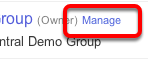
Click "Manage" Next to the Group You Want to Edit

You will see a list of groups of which you are a member. If you are an owner or manager of a group, you will see a Manage link next to the group.
Add Members to Group
Click "Manage" Next to the Group You Want to Edit

Click "Direct add members" in Left Panel

Add

- Enter the email address(es).
- Enter the message you would like to send to participant(s).
- Select the subscription option.
- Click Add.
Decide Who Can Send Messages to the Group
Click "Manage" Next to the Group You Want to Edit

Click "Basic Permissions" in Left Panel

Settings

- Choose who can view topics you're discussing.
- Choose who can post (send messages) to the group.
- Choose who can join the group.
- Click Save.
Moderate Messages (Require messages to be approved before being sent out)
Click "Manage" Next to the Group You Want to Edit

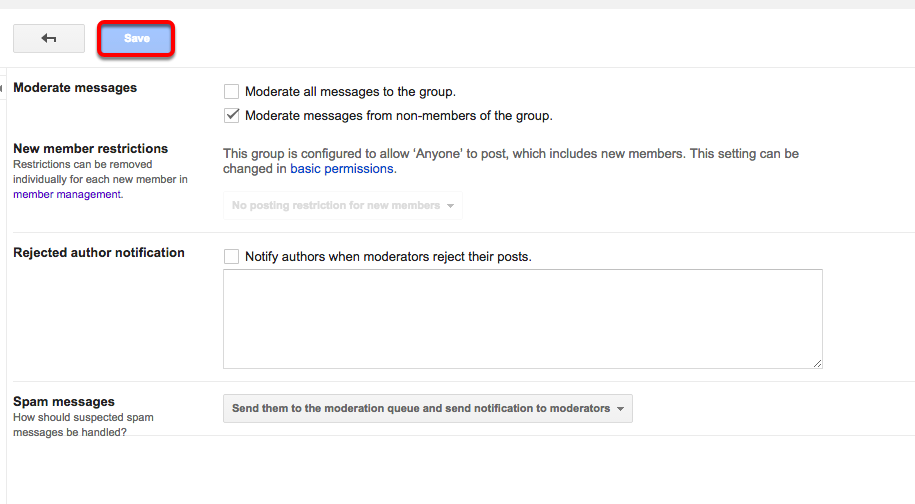
Click "Moderations" in Left Panel

Choose Settings and Click "Save"
Decide Where Replies Go

- Under the Manage option for your group, select Settings.
- Select Email options.
- Choose your preference from the Post Replies section.
- Select Save.
Click "Manage" Next to the Group You Want to Edit

Click "Moderations" in Left Panel

Choose Settings and Click "Save"

Add Footer to Messages
Click "Manage" Next to the Group You Want to Edit
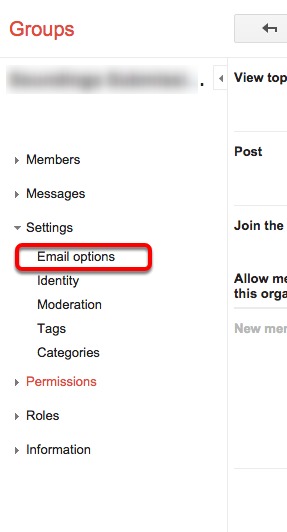
Click "Email Options" in Left Panel
Set Footer Options and Click "Save"

Add an "Unsubscribed" Link
Click "Manage" Next to the Group You Want to Edit

Click "Email Options" in Left Panel

Options

- Check the box next to Display the Google Groups opt-out URL.
- Click Save.
View Messages Sent to Group
Click "Manage" Next to the Group You Want to Edit

Click "Content Control" in Left Panel

Settings

- Check the box next to Archive message to the group.
- Click Save.
View Messages in Group, Not Inbox

You can set your reception settings in the group site by
- Click your personal settings icon.
- Click Membership Settings.
- From there you can choose how often you receive email.
I expected to see a message come through, but haven't seen it in my mailbox. Where is it?

Under Pending Messages in the left panel, you will find all pending/undelivered messages.
Comments
2 comments
How do people subscribe to a group? I don't want to manually add them.
Jim,
Some of our groups are populate automatically. Which group are you referring to? If you need to create a new group that is automatically populated you can submit a ticket to Support Central.
Please sign in to leave a comment.